---
# title: Courses
weight: 3
---
# Prerequisites
* Solid understanding of Java
* Object-oriented programming
* Classes, methods and interfaces
* Basic understanding of databases
* Tables, primary keys, foreign keys, relationships, etc.
* Write basic SQL statements
---
# What is a Spring Framework?
**Spring** -- is a popular framework for building Java applications. It has a lot of modules, each designed to handle a specific task. They are combined into few different layers.

*Img. 1 -- Spring layers*
| **Layer** | **Purpose** |
| ------------- | -------------- |
| *Core* | Handling dependency injection, managing objects |
| *Web* | Building web applications |
| *Data* | Working with databases |
| *AOP* | Aspect oriented programming |
| *Test* | Testing spring components |
---
While the spring framework is powerfull, using it often involves a lot of configuration. For example, if you want to build a web app you might need to setup a web server, configure routing and manage dependencies manually. That's when **Spring Boot** comes in.
You can think of spring boot as a layer on top of the spring framework, that takes care of all of the setup.
*Sring Boot* siplifies Spring development by providing sensible defaults and ready-to-use features.
By the way, the spring framework is just one part of a larger family of projects in the spring ecosystem.

*Img. 2 -- Spring ecosystem*
| **Module Name** | **Purpose** |
| ------------- | -------------- |
| *Spring Data* | Simplifying database access |
| *Spring Security* | Adding authentication and authorization |
| *Spring Batch* | Batch processing |
| *Spring Cloud* | Building microservices and distributed systems |
| *Spring Integration* | Symplifying messaging and integration between systems |
---
# Initialize Spring Boot Project
To initialize a new spring boot project you can go to [start.spring.io](https://start.spring.io/) and select options that suits you.
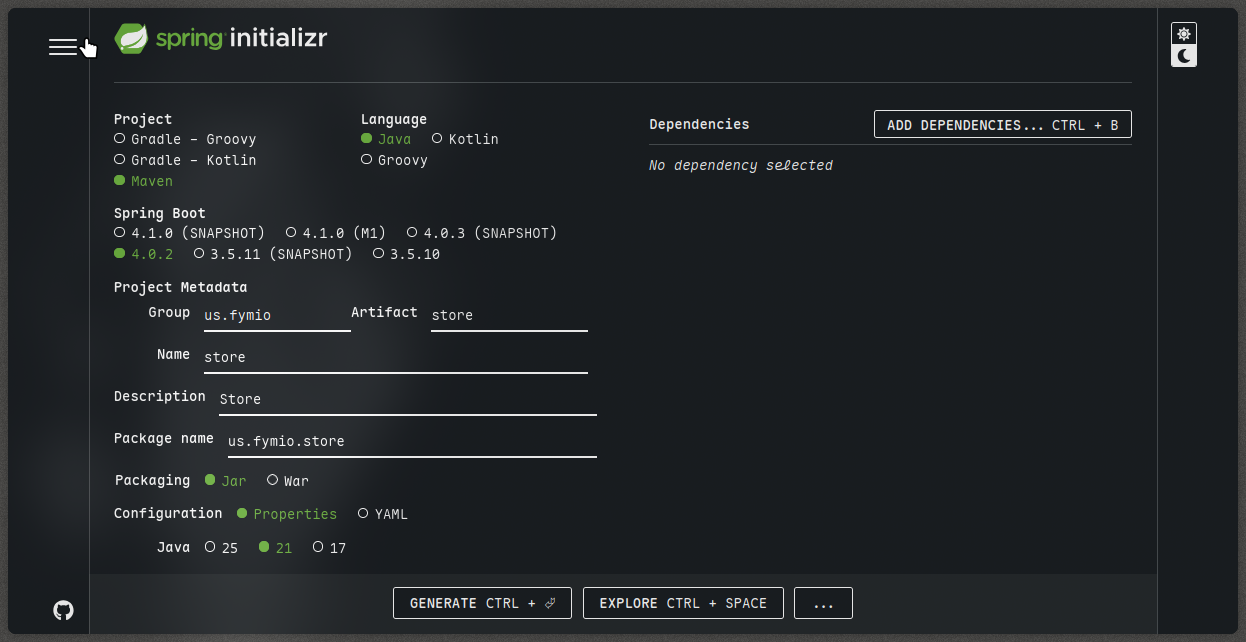
*Img. 3 -- Spring Boot options*
After unpacking the `zip` arvhive we have this template project.
```bash
.
├── HELP.md
├── mvnw
├── mvnw.cmd
├── pom.xml
├── src
│ ├── main
│ │ ├── java
│ │ │ └── us
│ │ │ └── fymio
│ │ │ └── store
│ │ │ └── StoreApplication.java
│ │ └── resources
│ │ └── application.properties
│ └── test
│ └── java
│ └── us
│ └── fymio
│ └── store
│ └── StoreApplicationTests.java
└── target
├── classes
│ ├── application.properties
│ └── us
│ └── fymio
│ └── store
│ └── StoreApplication.class
├── generated-sources
│ └── annotations
├── generated-test-sources
│ └── test-annotations
├── maven-status
│ └── maven-compiler-plugin
│ ├── compile
│ │ └── default-compile
│ │ ├── createdFiles.lst
│ │ └── inputFiles.lst
│ └── testCompile
│ └── default-testCompile
│ ├── createdFiles.lst
│ └── inputFiles.lst
├── surefire-reports
│ ├── TEST-us.fymio.store.StoreApplicationTests.xml
│ └── us.fymio.store.StoreApplicationTests.txt
└── test-classes
└── us
└── fymio
└── store
└── StoreApplicationTests.class
```
The "heart" of our project is the file named `pom.xml`:
```xml
4.0.0
org.springframework.boot
spring-boot-starter-parent
4.0.2
us.fymio
store
0.0.1-SNAPSHOT
store
Store
21
org.springframework.boot
spring-boot-starter
org.springframework.boot
spring-boot-starter-test
test
org.springframework.boot
spring-boot-maven-plugin
```
Maven uses this file to download dependencies and build our project.
In the `source` folder we have the actual code for our project.
```bash
src
├── main
│ ├── java
│ │ └── us
│ │ └── fymio
│ │ └── store
│ │ └── StoreApplication.java
│ └── resources
│ └── application.properties
└── test
└── java
└── us
└── fymio
└── store
└── StoreApplicationTests.java
```
The `StoreApplication.java` file is the entry point to our application.
```java
package us.fymio.store;
import org.springframework.boot.SpringApplication;
import org.springframework.boot.autoconfigure.SpringBootApplication;
@SpringBootApplication
public class StoreApplication {
public static void main(String[] args) {
SpringApplication.run(StoreApplication.class, args);
}
}
```
In the `main` method we have a call to `SpringApplication.run` method.
If we run `mvn clean install` from the root of our project we will get this result (the output is partially reduced):
```bash
...
[INFO] Tests run: 1, Failures: 0, Errors: 0, Skipped: 0, Time elapsed: 2.542 s -- in us.fymio.store.StoreApplicationTests
[INFO]
[INFO] Results:
[INFO]
[INFO] Tests run: 1, Failures: 0, Errors: 0, Skipped: 0
[INFO]
[INFO]
[INFO] --- jar:3.4.2:jar (default-jar) @ store ---
[INFO] Building jar: /home/fymio/store/target/store-0.0.1-SNAPSHOT.jar
[INFO]
[INFO] --- spring-boot:4.0.2:repackage (repackage) @ store ---
...
...
[INFO] Installing /home/fymio/store/pom.xml to /home/fymio/.m2/repository/us/fymio/store/0.0.1-SNAPSHOT/store-0.0.1-SNAPSHOT.pom
[INFO] Installing /home/fymio/store/target/store-0.0.1-SNAPSHOT.jar to /home/fymio/.m2/repository/us/fymio/store/0.0.1-SNAPSHOT/store-0.0.1-SNAPSHOT.jar
[INFO] ------------------------------------------------------------------------
[INFO] BUILD SUCCESS
[INFO] ------------------------------------------------------------------------
[INFO] Total time: 14.787 s
[INFO] Finished at: 2026-02-19T13:16:47+03:00
[INFO] ------------------------------------------------------------------------
```
So we can tell that our application was built without errors.
# Dependency Management
Dependencies are third-party libraries or frameworks we use in our application. For example to build a web application we need an embedded web server like *Tomcat*, we need libraries for handling web requests building APIs, processing JSON data, logging and so on.
In spring boot applications instead of adding multiple individual libraries we can use a **starter dependency**.

*Img. 5 -- Spring Boot Starter Web*
To use this dependency we just need to copy the code below to our `pom.xml` file.
```xml
org.springframework.boot
spring-boot-starter-web
4.1.0-M1
```
So the `dependencies` section would look like this
```xml
org.springframework.boot
spring-boot-starter
org.springframework.boot
spring-boot-starter-test
test
org.springframework.boot
spring-boot-starter-web
```
Notice, that I commented out the version of our dependency. That's because it's a better practice to let Spring Boot decide what version of the dependency to use.
# Controllers
**Spring MVC** stands for *Model View Controller*.
*Model* is where our application's data lives. It represents the business logic and is usually connected to a database or other data sources. In spring boot the model can be a simple java class.
*View* is what the user sees. It's the HTML, CSS or JavaScript that's rendered in the browser. In Spring MVC views can be static files or dynamically generated.
*Controller* is like a traffic controller. It handles incoming requests from the user, interacts with the model to get data and then tells the view what to display.
Let's add a new java class called `HomeController`. It will be located at `src/main/java/us/fymio/store/HomeController.java`.
```java
package us.fymio.store;
public class HomeController {}
```
To make this a controller we have to decorate it with the controller annotation. And import the `Controller` from `org.springframework.stereotype` package.
```java
package us.fymio.store;
import org.springframework.stereotype.Controller;
@Controller
public class HomeController {}
```
Let's now add an `index` method. When we send a request to the root of our website we want this method to be called. Also we need to add another special annotation to this method.
```java
package us.fymio.store;
import org.springframework.stereotype.Controller;
import org.springframework.web.bind.annotation.RequestMapping;
@Controller
public class HomeController {
@RequestMapping("/") // this represents the root of our website
public String index() {
return "index.html"; // this returns the view
}
}
```
Now we need to create this view. We add the `index.html` at `src/main/resources/static/index.html`. For now let's just print "Hello world!".
```html
View
Hello world!
```
Now let's build our application using `mvn spring-boot:run`.
As we can see from the logs:
```bash
2026-02-19T14:55:23.948+03:00 INFO 36752 --- [store] [ main] o.s.boot.tomcat.TomcatWebServer : Tomcat initialized with port 8080 (http)
```
It means that our app is up and running at [localhost:8080](http://localhost:8080/).
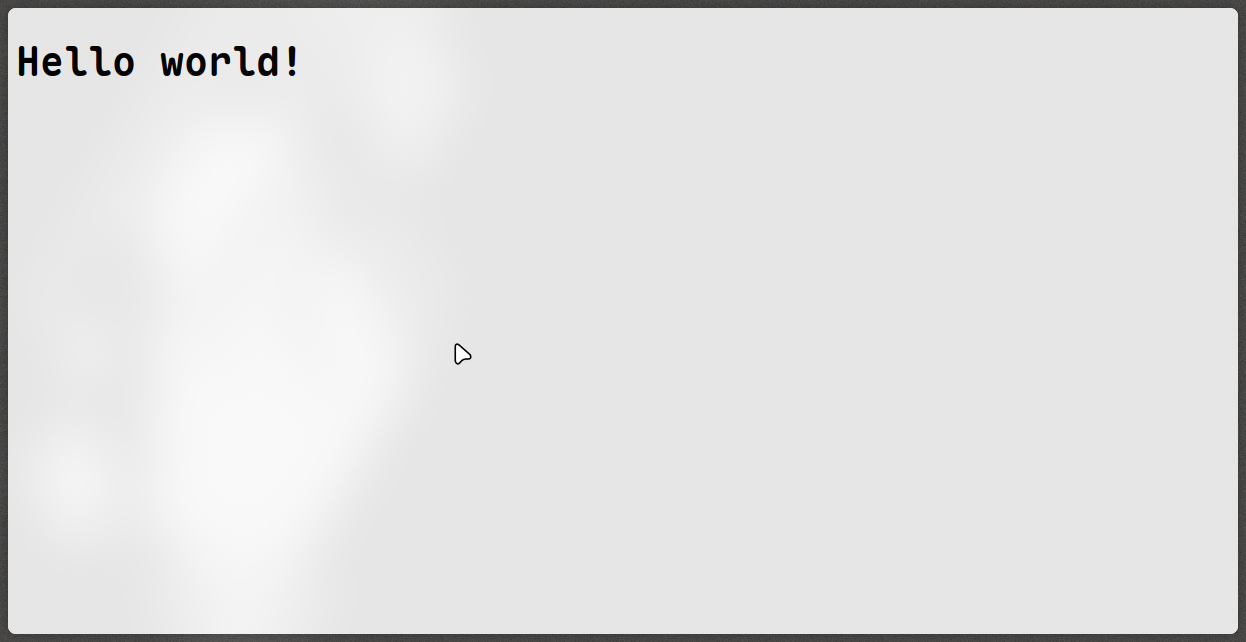
*Img. 7 -- Our app is up and running!*
# Configuring Application Properties
Let's take a look at our `application.properties` file located at `src/main/resources/application.properties`.
```properties
spring.application.name=store
```
To use this property in our code we can use the `@Value` annotation.
Let's change our `HomeController` class so it prints the name of our application.
```java
package us.fymio.store;
import org.springframework.beans.factory.annotation.Value;
import org.springframework.stereotype.Controller;
import org.springframework.web.bind.annotation.RequestMapping;
@Controller
public class HomeController {
@Value("${spring.application.name}")
private String appName;
@RequestMapping("/") // this represents the root of our website
public String index() {
System.out.println("application name = " + appName);
return "index.html"; // this returns the view
}
}
```
And as we can see after running our application there is a `store` printed out in the terminal.
```bash
...
2026-02-19T15:32:37.507+03:00 INFO 41536 --- [store] [nio-8080-exec-1] o.s.web.servlet.DispatcherServlet : Initializing Servlet 'dispatcherServlet'
2026-02-19T15:32:37.509+03:00 INFO 41536 --- [store] [nio-8080-exec-1] o.s.web.servlet.DispatcherServlet : Completed initialization in 2 ms
application name = store
...
```
# Dependency injection
Imagine we are building an E-Commerce application that handles placing orders. When the order is placed, the customer's payment needs to be processed so order service depends on a payment service like stripe payment service. In this case we can say that order service is *dependent* or *coupled to* stripe payment service.

*Img. 8 -- Depends On/Coupled To relation.*